A full set of API examples based on different common scenarios.
2025-10-27 - SCA exemptions in authentication
- Updated SCA Exemptions example to include placement
authentication - Removed top level
Worldpay folder and renamed to Worldpay-Payments-API
2025-04-02 - initial release
- Removed the separate environment file, variables now exist as part of the collection instead of the environment.
- Variables are used for username, password, entity, environment & API version, all other key:values are part of the request body for simplicity.
- Added an example of using a network token.
- Added a single example using checkout, FraudSight, 3DS and token creation.
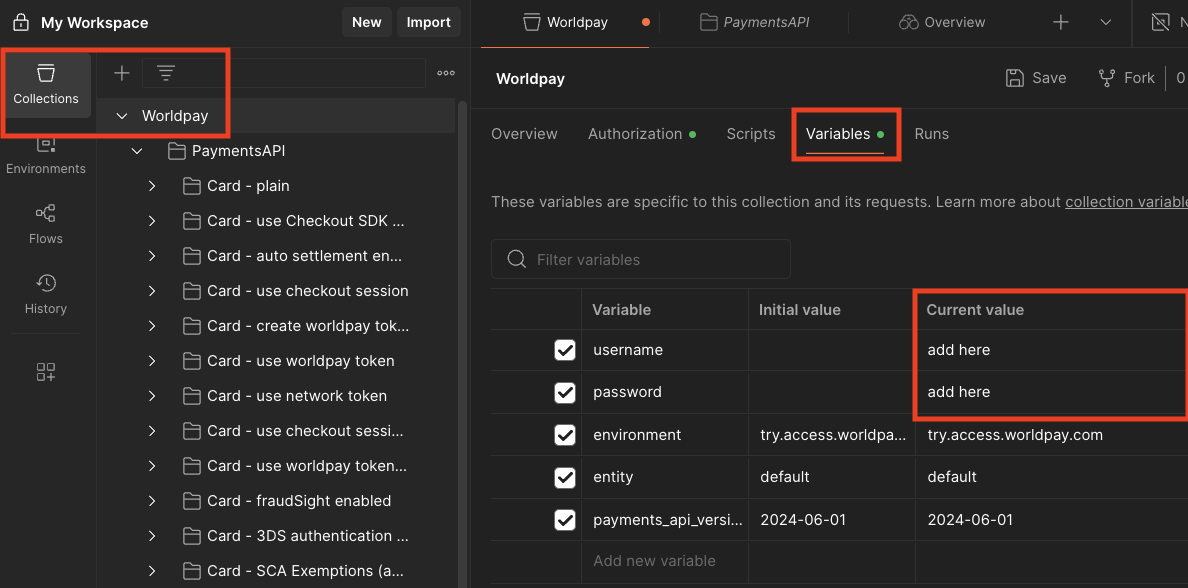
| 1) Import collection | 2) Set authentication details |
|---|
Download the Postman collection above and import
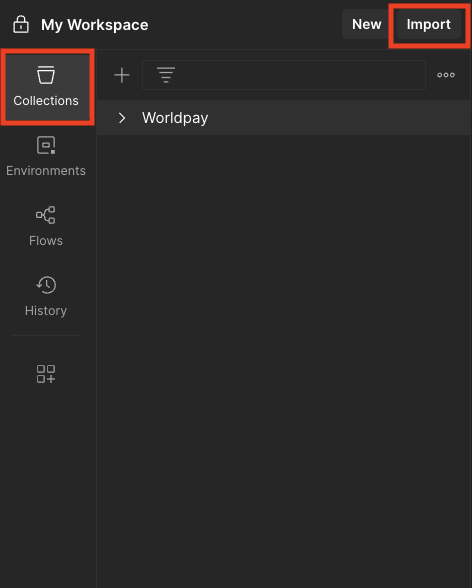 | To set your Try (Test) username and password go to the variables section under the top Worldpay folder- You can also change the
entity, environment (e.g. try or live) and the payments_api_version
|